Last reviewed: October 6, 2026
Title and first photo
Kijiji buyers skim a city feed. The title should say what the item is, the brand or size when that is how people search, and the condition if it is not obvious. “Dresser” is weaker than “IKEA Hemnes dresser, 8 drawers, oak, good condition.”
The first photo is the thumbnail. Shoot the whole item in daylight, then add close-ups of wear, the label, and anything a buyer will ask about. A dark hallway shot is the usual reason a fair price gets ignored.
Price and description
Price it for a neighbour who will pick it up, not for a national shipped sale. If you are also on eBay, the Kijiji number can be lower because you are not paying selling fees or a shipping label.
The description should answer the messages you do not want: measurements, what is included, what is worn, and whether you can meet today. Short paragraphs beat one block of text. Lead with the facts, then the story.
Pickup city for this ad
Kijiji often reopens the location from your previous ad. That is a problem when this item is in a different city, or when you are posting for someone else.
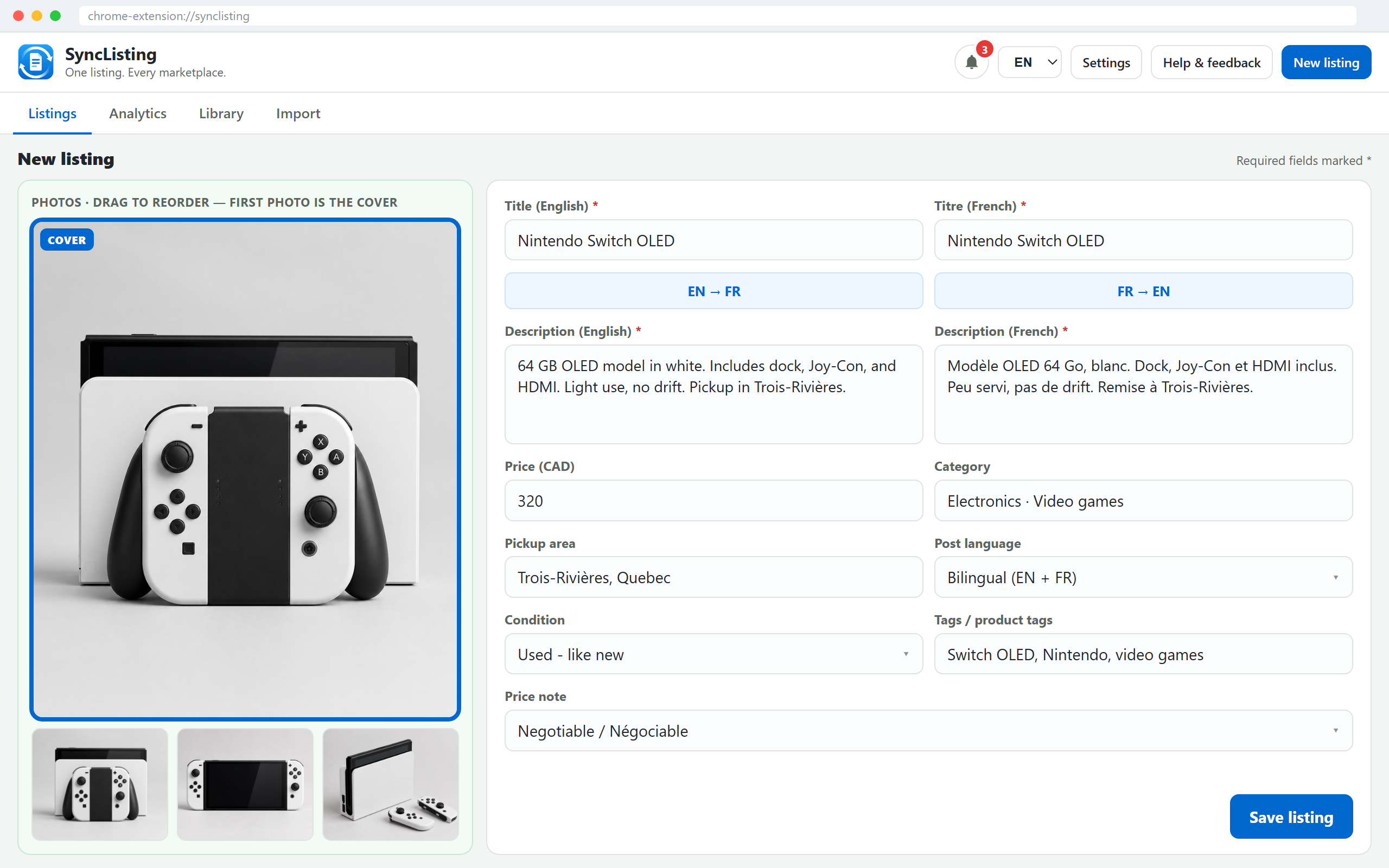
Put this listing’s pickup city in SyncListing. When the create form opens, the assist clears a committed location chip, types that city, and asks you to pick the matching suggestion. If the field still shows the old city, clear it and choose the suggestion yourself before you click Post.
A postal code alone is a weaker hint than the city name buyers will see. Confirm the map pin or the city label on the form, not only the text you typed.
Meetup
Say where you will meet and when, in a public place you already use. Do not put a unit number in the public description. Keep the exact address for the message thread after you have agreed.
If the item is heavy, say whether you can help load it. If you only do porch pickup, say that in the ad so you are not negotiating it five times.
When to also use Facebook Marketplace
Use both when the item is local and you want a second set of buyers. Marketplace and Kijiji do not share the same audience all day. Furniture, strollers, and “pick up this weekend” goods often justify both.
Skip Marketplace when you do not want a Facebook thread, or skip Kijiji when you already know the buyers for this item are in a Marketplace group you actually use. Same photos can start both ads. The category and the city still need a look on each form.
Posting it with SyncListing
- Create or import the listing. Fill title, price, description, photos, and pickup city.
- Open Kijiji from that listing. Review category and the location suggestion.
- Click Post on Kijiji yourself. SyncListing does not submit the ad.
- Save the live Kijiji link on the card when you have it.
Common questions
Does SyncListing publish the Kijiji ad?
No. It fills the Kijiji form, including the pickup city when you have one. You review the location suggestion and click Post.
Why does Kijiji show the wrong city?
Kijiji often reuses the previous ad’s location. Put this item’s pickup city on the listing, then pick the matching suggestion on the form before you publish.
Can I reuse the same description on Facebook?
As a start. Marketplace and Kijiji categories differ, and you should still confirm the city and the price on each form.